AR/VR tool script for UNITY 3D
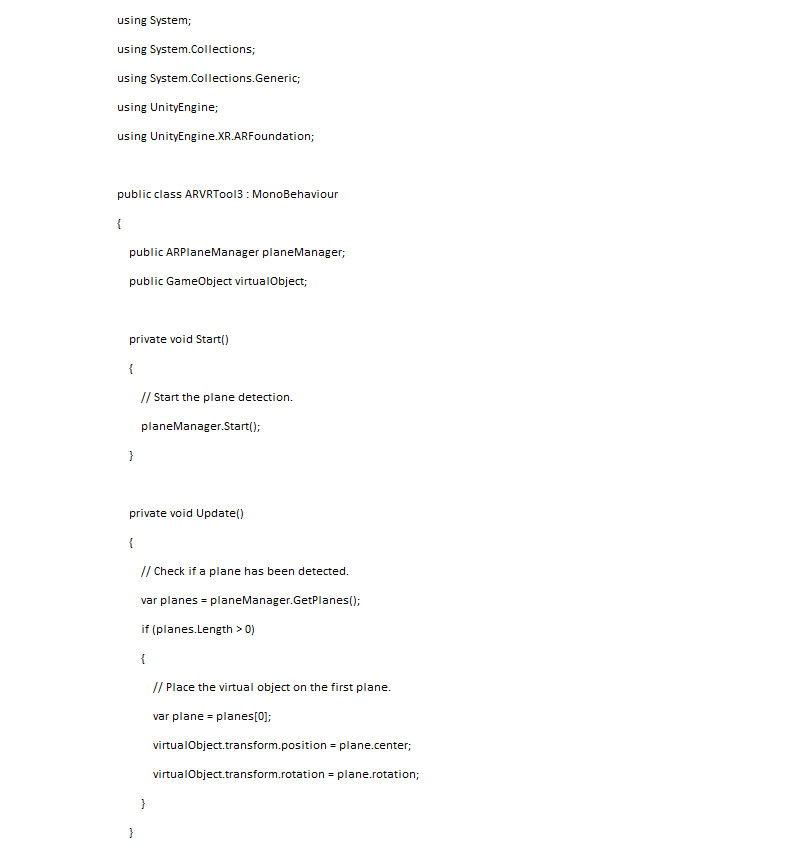
This code will create a new AR/VR tool script that you can use to detect planes in the real world and place a virtual object on the first plane that is detected.
This code will create a new AR/VR tool script that you can use to detect planes in the real world and place a virtual object on the first plane that is detected.
For example, you could create a new Unity scene that uses the AR/VR tool script to detect a table in the real world and place a virtual cup of coffee on the table.
Here are the steps on how to use this tool:
Import the ARFoundation package.
Create a new script and paste the code above.
Attach the script to a GameObject in the scene.
Set the planeManager variable to an ARPlaneManager instance.
Set the virtualObject variable to a GameObject that contains the virtual object that you want to place on the plane.
Run the Unity project.
The code should detect planes in the real world and place the virtual object on the first plane that is detected.
Here are some things to keep in mind when testing the code:
The ARFoundation package requires a device that supports ARCore or ARKit.
The virtual object must be a 3D model that is compatible with Unity.
The plane detection may not work in all environments.